01
Record a conversation
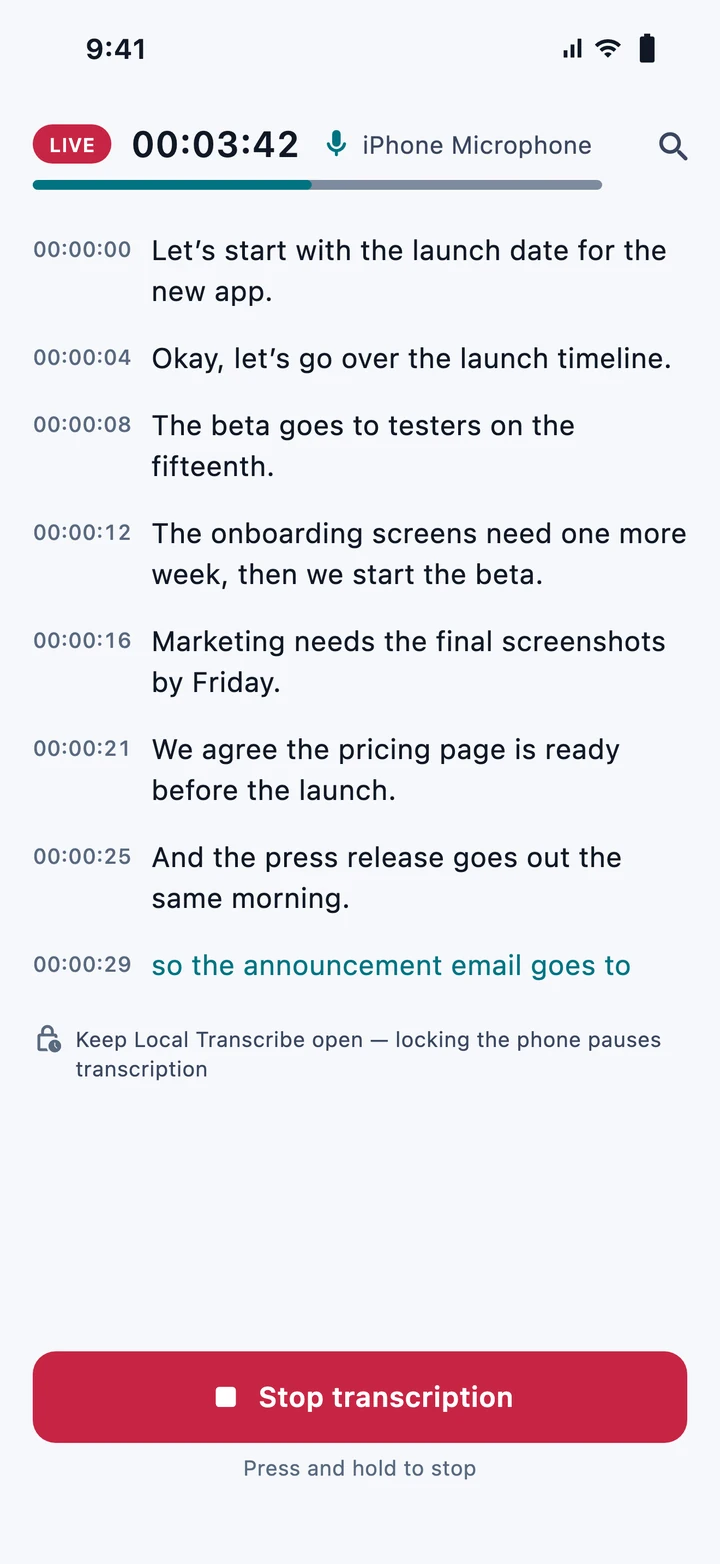
Start a session and see speech turn into text while the conversation is happening.
LIVE TRANSCRIPTION
Record a conversation, import an existing voice note, or share audio from another app. Turn it into text locally—on iPhone, iPad, and Mac.
Not everything starts with a recording button. Local Transcribe fits the way you already capture and share audio.
Start a session and see speech turn into text while the conversation is happening.
Already recorded it? Bring in a saved voice note or supported audio file and convert it to text.
Use the Share menu in compatible apps to send audio straight to Local Transcribe for on-device transcription.
Audio import and sharing depend on file formats and the sharing options provided by the source app.
Thoughtful features for the moments you want to remember—and an architecture that puts your device first.
Core speech recognition runs on your device rather than sending audio to a remote transcription service.
Work with both languages and choose the speech model suited to your recording.
Whisper small is included, so speech transcription can run offline from the first launch. Larger multilingual models are optional downloads. Optional model downloads need iOS 27, iPadOS 27 or macOS 27. Starting a trial or managing purchases may require internet.
Review timestamped text, find what matters, and return to important moments.
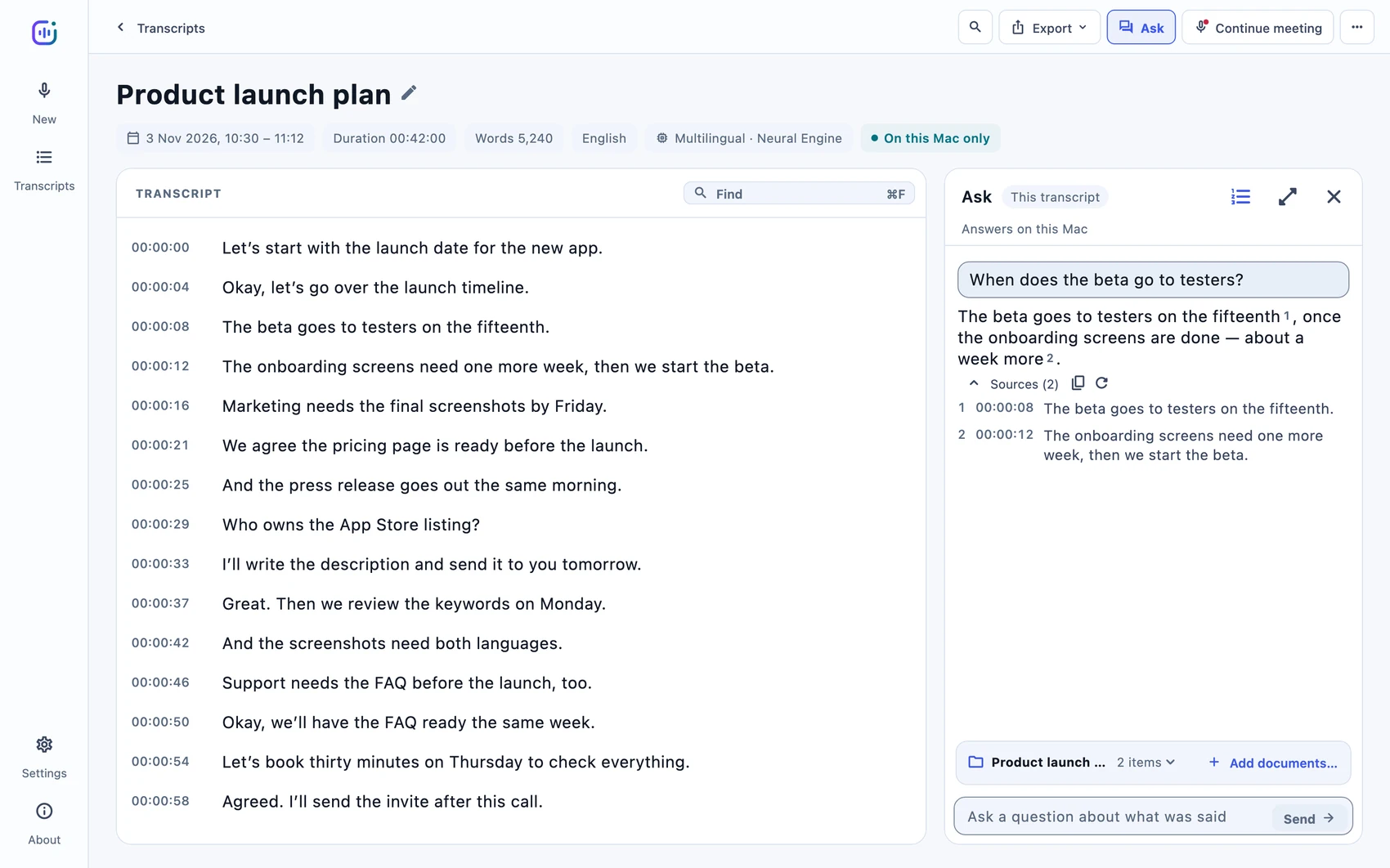
On Mac, use local AI to explore meeting content and supporting documents with references.
Explore genuine screens from Local Transcribe on iPhone, iPad and Mac—no invented interfaces.
Live transcription keeps pace with the conversation as words appear on your screen.
Whether it's a spontaneous idea, a meeting, or a voice message you've saved, move from audio to searchable text without changing how you work.
Bring the audio in your own way.
Let the on-device speech model create the text.
Read, search and keep the words that matter.
Ask questions about transcripts and documents where supported.
Download free. Start a seven-day trial when you're ready. One subscription covers all available features across iPhone, iPad and Mac with the same Apple Account; Mac-only features remain on Mac.
After your subscription ends, your saved transcripts remain available to open, read, export and delete.
Mac requirements: Apple silicon (M-series) and macOS 14.2 or later. iPhone and iPad requirements are listed on the App Store.
after your seven-day free trial
US reference price. Final local prices may differ. Subscription begins only when you confirm with Apple; auto-renews unless canceled. App Store link will be added at launch.
The practical things people ask before letting their voice become text.
Yes. Import an existing voice note or supported audio recording instead of recording it again.
Yes. In apps that support sharing the audio file, use the Share menu to send it to Local Transcribe. Availability depends on the source app and supported file formats.
Yes. Whisper small comes with the app, so core transcription works offline from the first launch once your trial or subscription is active. Larger multilingual models are optional downloads. Optional model downloads need iOS 27, iPadOS 27 or macOS 27. Starting or managing a subscription may require internet.
Yes. Local Transcribe supports Arabic and English. Output quality depends on the model, recording conditions and language use.
Not currently. Ask—questions about transcripts and documents—is available on Mac only.
The download is free. You can start a seven-day trial by explicitly agreeing to a subscription through Apple. After that, access is $0.99/month in the US unless canceled. New transcription and processing require an active trial or subscription; your existing transcripts remain free to open, read, export and delete after it ends.
A Mac with Apple silicon (M-series) and macOS 14.2 or later. Ask is available on Mac only. Ask's model downloads need macOS 27.
A better home for conversations, voice notes, and audio shared your way.
Discover what you can do